WebMCP research canvas

Research, with the evidence still attached.

Give ChatGPT, Codex, or another WebMCP agent a canvas where sources, claims, comparisons, and revisions stay visible after the conversation moves on.

Site tools appear in ChatGPT's desktop browser and compatible WebMCP hosts. The canvas works locally in an ordinary browser too.

Source 04
Protocol design notes
source

Interfaces become durable when the evidence remains independently inspectable.

12 excerptsretrieved 14:32
Working claim
Synthesis · revision 03

AI research improves when claims remain spatially tied to their supporting material.

3 supports1 tension
Comparison
Workspace behavior
Chattransient
Canvasinspectable
Notebookrevision-safe
Evidence graph7 nodes · 9 edges
01

The workbench

Watch the research take shape.

Vichar gives the agent purpose-built research objects instead of one long text field. You can inspect every move, rearrange the argument, and keep working by hand.
SourceClaimComparisonInsight graph
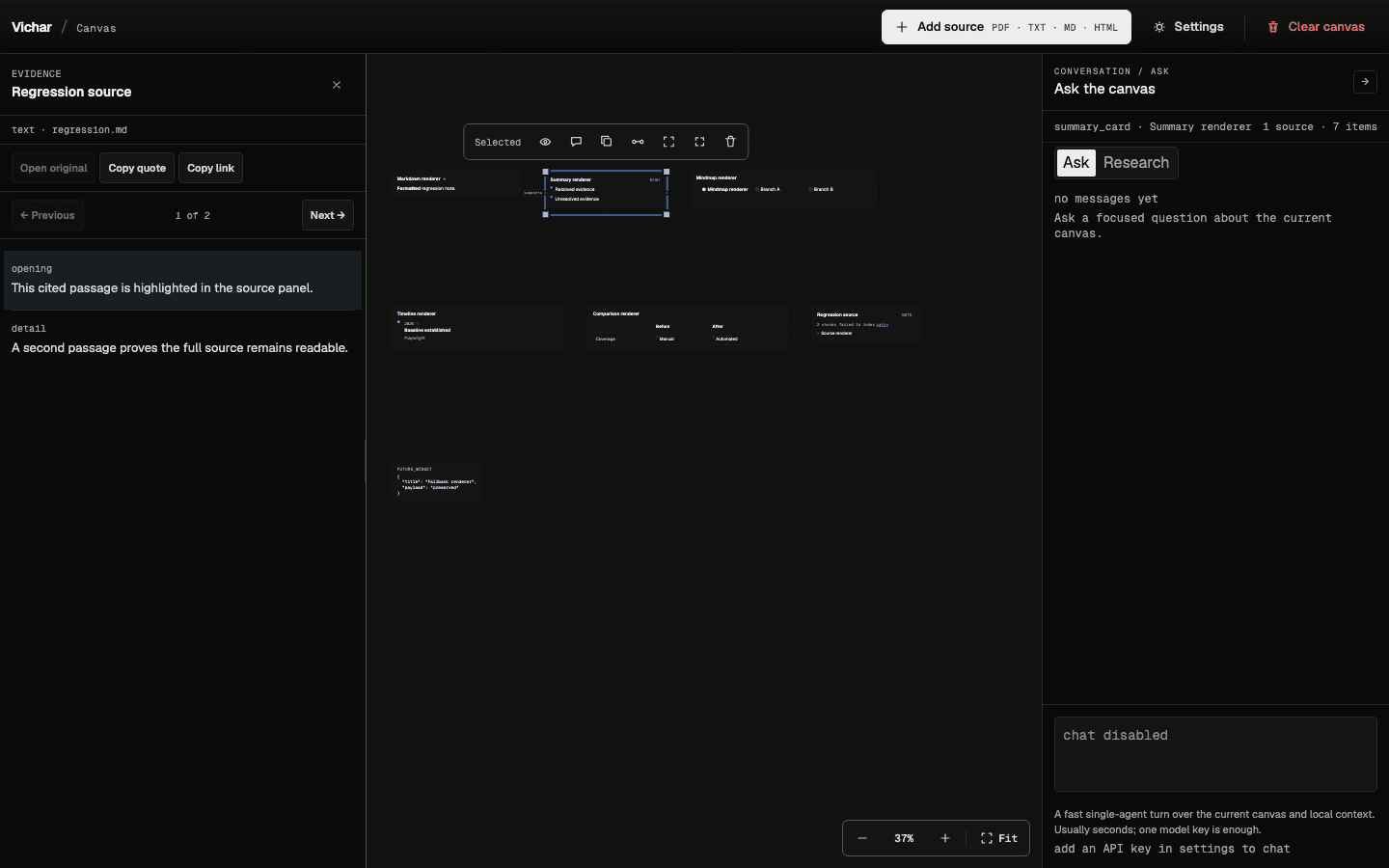
Real product captureCanvas + source dock
Vichar canvas with research nodes, a cited source dock, and agent panel
One workspace keeps the source, the synthesis, and the canvas arrangement together.
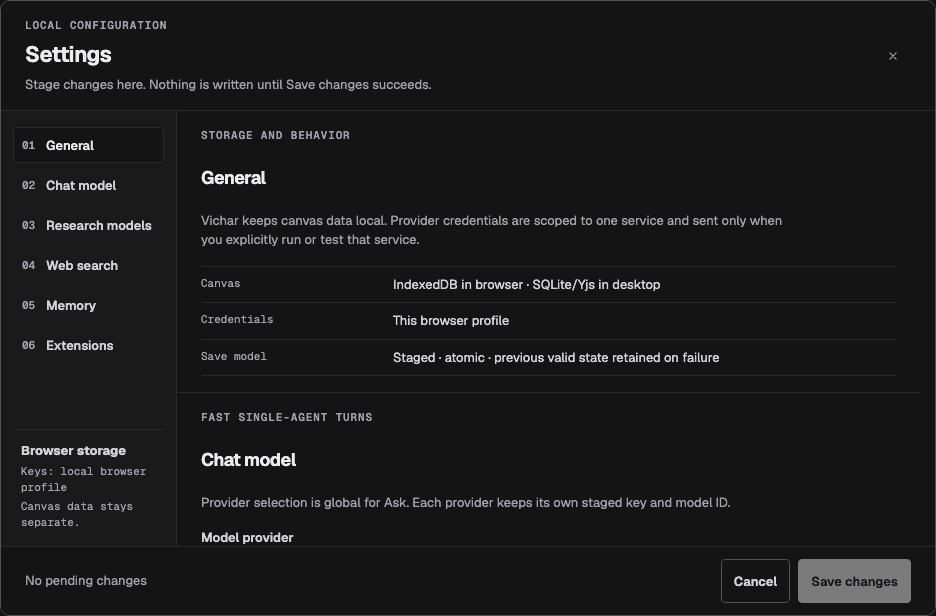
Local trustSettings
Vichar settings showing local canvas storage and staged credential changes
Local state stays understandable: storage, credentials, and model connections remain explicit.
02

Site tools

The canvas is the agent interface.

Eight WebMCP tools let a compatible agent understand and change the research workspace directly. No separate connector and no hidden copy of the notebook.

Inspect workspace
Read the current project, canvas contents, and active selection.
available to agent
Place evidence
Create sources, notes, claims, tables, and insight graphs.
available to agent
Revise visibly
Update research primitives without flattening their history.
available to agent
Connect claims
Draw meaningful edges between evidence and interpretation.
available to agent
CapabilityAgent actionHuman control
Workspace contextInspect project + selectionRead-only
Research objectsCreate typed primitivesVisible on canvas
SynthesisRevise + connectRearrange or undo
03

Local-first

Your research is not a side effect of a chat.

The browser sandbox saves the notebook locally. The desktop app adds project files, providers, and a full research workflow while keeping the canvas yours.

Browser-local notebookThe demo persists in this browser.
Human-editable canvasMove, group, revise, or delete any object.
Explicit agent accessWebMCP exposes named tools—not the rest of your browser.

Bring your own question.

Let the agent research.
Keep the working visible.

Open the sandbox Read the source ↗